First published in programmez! 274 (May 2026)
The need to alter a server’s responses is not new. Since the 2000’s, web developers have among their tools dedicated proxy software, used to intercept the network requests sent by the browser, see the status, headers and body of requests and responses and possibly modify them. The most well-known is probably Charles, which offers a wide array of features to interact with network requests. With the advent of Single Page Applications consuming APIs in the 2010s, new use cases appeared: it became more and more commonplace for developers to not own their application backend and thus to be unable to change a header or body. Nowadays, standalone proxies are still relevant for power users who have very specific needs of interaction with network requests. Browser extensions like Requestly or ModHeader have also filled this niche for a few years but they are now obsolete: for simple use cases, modern browsers have integrated most of these features directly in the devtools.
During the 2010s, browsers have focused on inspection and edition of static resources (HTML/CSS/JS) in web applications. In 2018, Chrome 65 lays the first foundation with a local override feature: the changes applied to static resources in the Sources tab can be persisted between different sessions, but it is not yet possible to override any network response. This system will be generalized to allow overriding non-static resources.
Let’s see the three main implementations, from the most polished (Safari) to the most disappointing at the moment (Firefox) with the good compromise offered by Chrome.
Safari: the Pioneer
The real trailblazer in network overrides is Safari, even though the feature was not really showcased when it was released in January 2021. The network override system created at the time was and still is the most comprehensive, at the cost of needing a bit of effort to get used to.
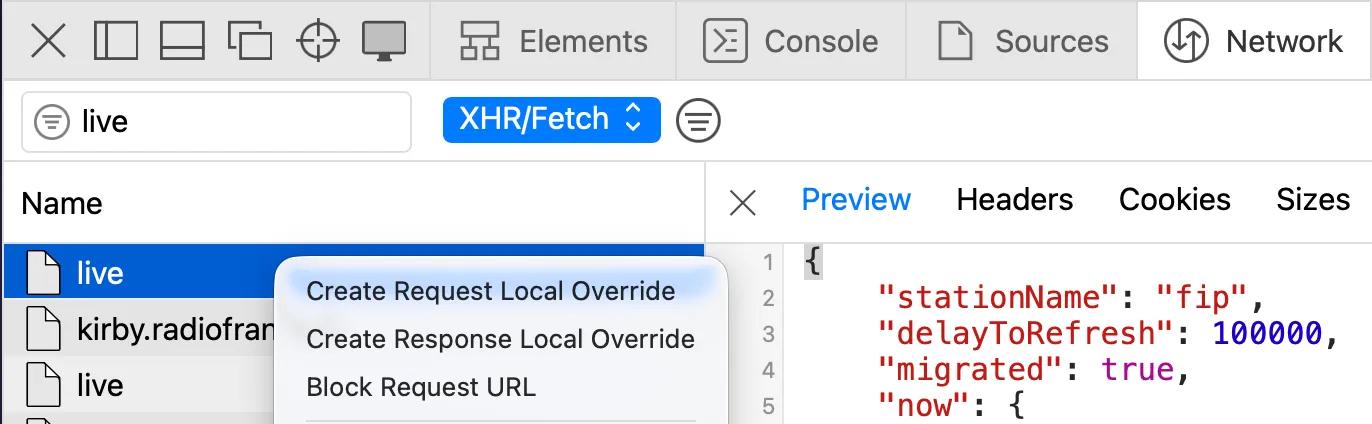
As in each browser, the entry point is the request you want to override in the Network tab of the devtools, which you can right-click to create a network override.
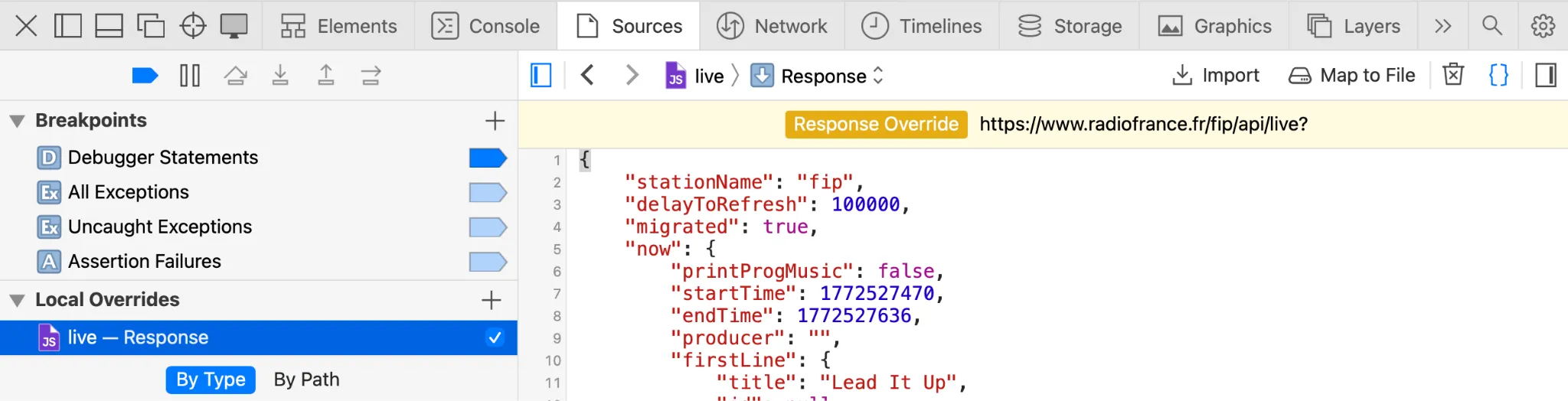
Creating or editing an override opens the override file in the Sources tab.
The browser handles the creation and storage of override files, the only way to edit them is through the Sources tab. It is possible to export override files but only a copy is exported so outside edits will not change anything in Safari. If you do not want to create the override file directly in Safari, it is possible to bind an override to a preexisting file, but then you cannot edit it in the browser. So all in all you have to choose between in-browser or external edition, but you cannot mix both ways.
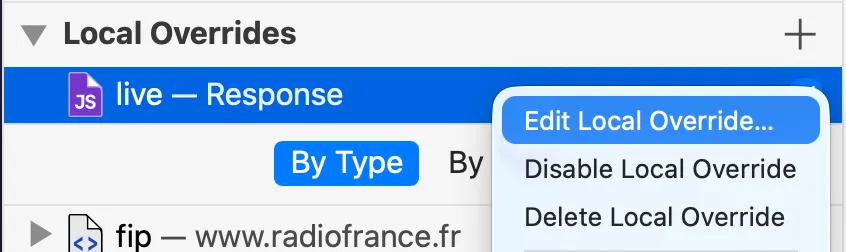
The override file displayed in the Sources tab only shows the request/response body, but Safari offers very thorough override features with the “Edit local override” option when you right-click a local override.
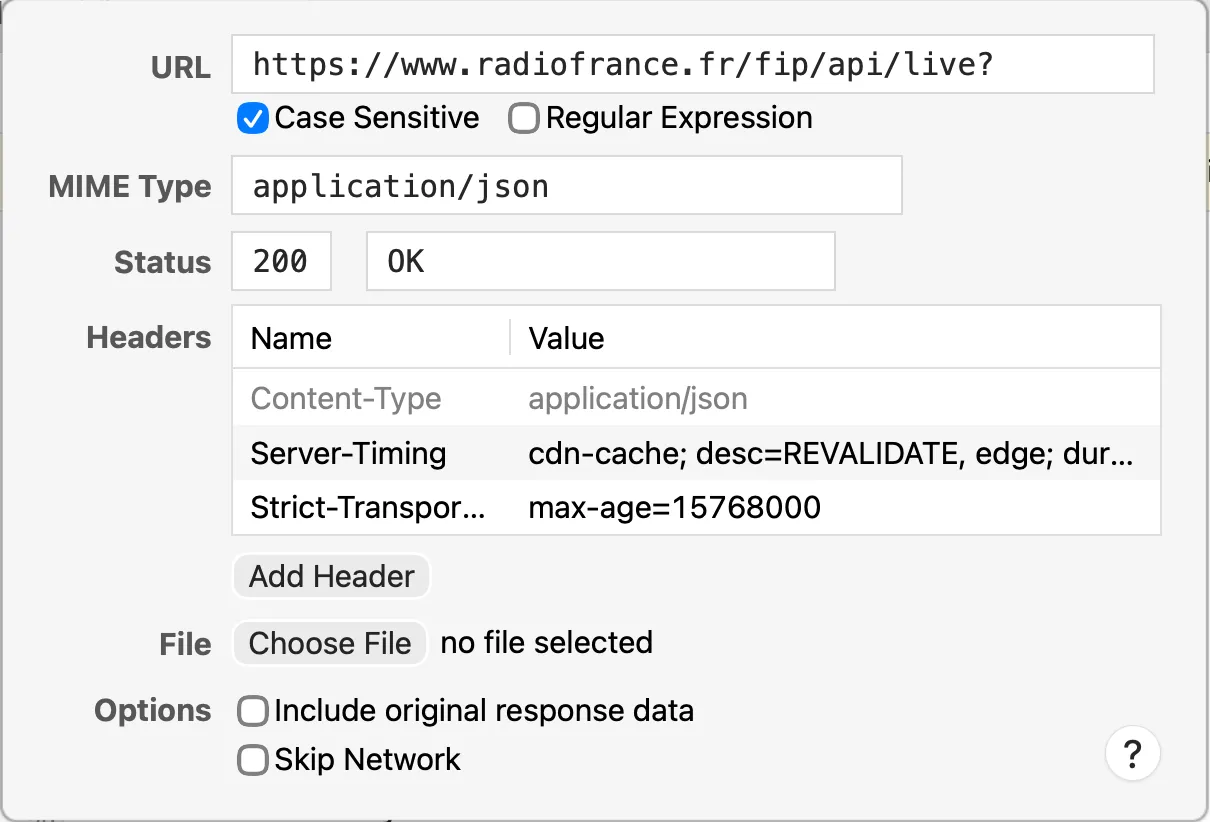
The dialog box allows you to override the status (which is not possible in any other major browser), all headers and also change the pattern used to determine which requests will be overridden by this file. It is even possible to use a regular expression as a pattern, which comes very handy to override at once responses that share the same URL except for query parameters. It is impossible to talk about all features because there are so many: this system is not the most intuitive but it is worth getting familiar with it, there are very few basic use cases that are not covered.
Finally, once the override is set up, the server responses are replaced with the override file. It is very important at this point that overridden requests are easily identified lest this would become very confusing. In Safari, overridden requests are indicated with a negative icon and an explicit banner with a button to go back to the Sources tab to disable the override.

All in all, the great flexibility offered by Safari’s local override system allows you to get rid of a standalone proxy in a vast majority of cases, even though ergonomics are sometimes lacking.
Chrome: the Challenger
The network override feature appears in 2023 in Google’s browser. From version 117 on, it becomes possible to override all types of request and not only static resources. The feature is much more discoverable than in Safari with several entry points in the network tab of the devtools. You can change the value of a header, add a header, or as in Safari, right-click on a request and pick the “override content” option.
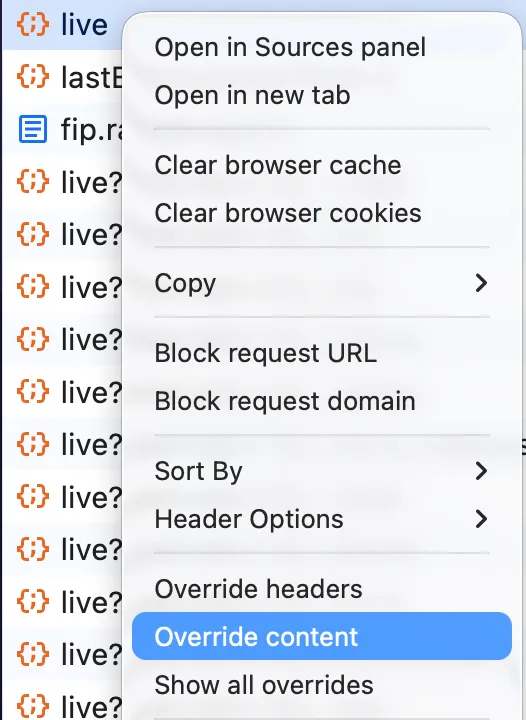
If you are using the feature for the first time, the browser will ask you to choose a folder on your filesystem to locate the override files. This is a key component of Chrome’s network override system as it is what makes the overrides persist between sessions while being editable externally in an IDE for complex changes.
After that, the network response you picked opens in the sources tab (overrides sub-tab) of the browser.
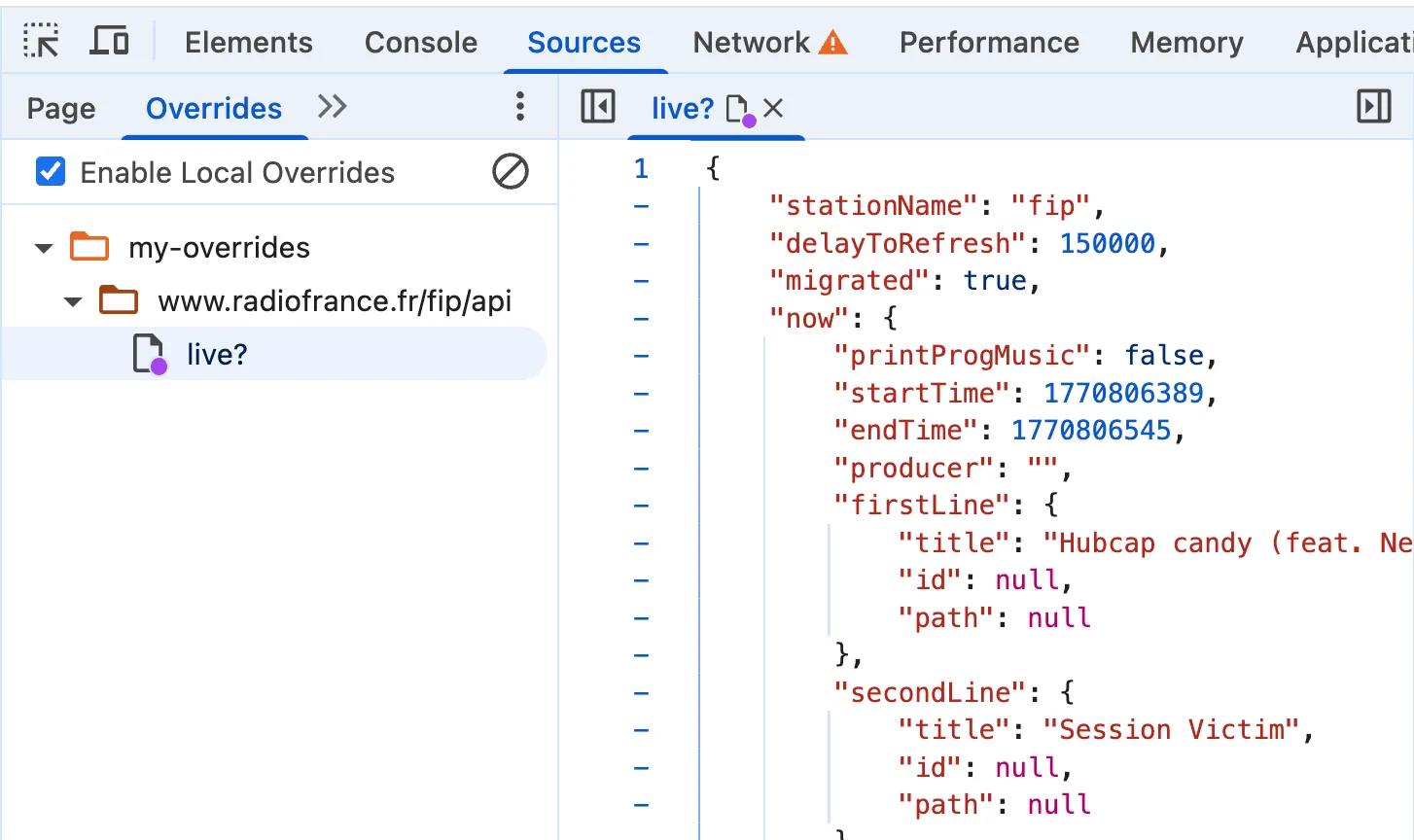
The name and filepath of the created override file match the path of the request. You can now edit the response body any way you like. You just have to save the file and refresh the page for the override to be active.
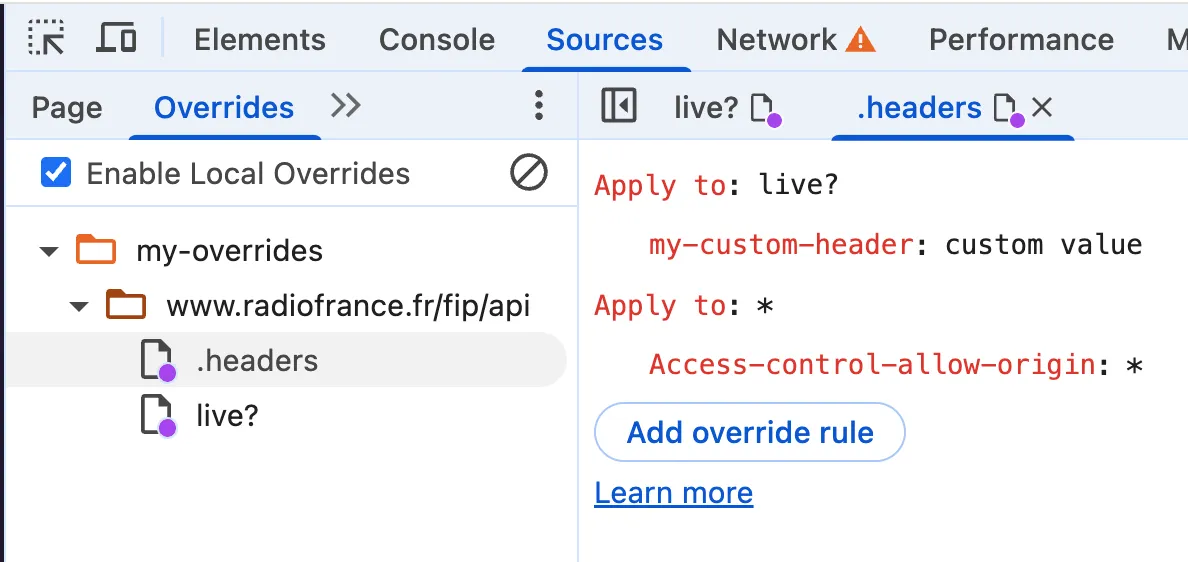
To edit headers, it is even simpler. In the headers tab of the request, while hovering each header, an edit icon appears. You just have to click it (or directly right-click the request and choose “override headers”) to make the headers tab writeable and add/edit headers. Under the hood, this edition automatically creates a special .headers file in the folder matching the path of the request, with generated rules matching the changes. The rules syntax is simple: a pattern to know which request to target on that domain, and key/value pairs for headers to add/edit. You can also use the wildcard * to target all requests on the domain. The main limitation is that you cannot change the http status code of the response.
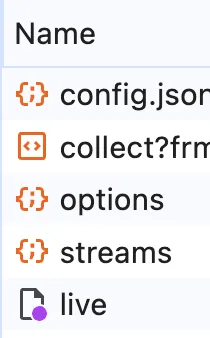
Once the override is active, many UI elements hint at it. Whenever the network override feature is active, a warning icon with an explicit message on hover is displayed to the right of the network tab (see above) and overridden requests are individually flagged with a purple badge.
Overall this implementation is very good: it is the most intuitive override system and it is very convenient to use on a daily basis (the flexibility of being able to edit override files directly in devtools and externally in an IDE is really nice), with only a few missing features that Safari offers (mainly not being able to edit the http status code).
Firefox : the Least Convenient
Firefox is the last major browser to have rolled out this feature, in 2025. Unfortunately, this late release is not really up to par with the other major browsers for the time being, because it suffers from a lot of issues and limitations.
Contrary to other browsers, Firefox made the choice not to integrate the network overrides of non-static resources to the sources tab of the devtools. This tab remains dedicated to editing HTML/CSS/JS files: all editions of an override file of another type must be carried out in an external editor. When you create an override with a right-click in the network tab of the devtools, the browser immediately opens a dialog box to save the file on your file system.
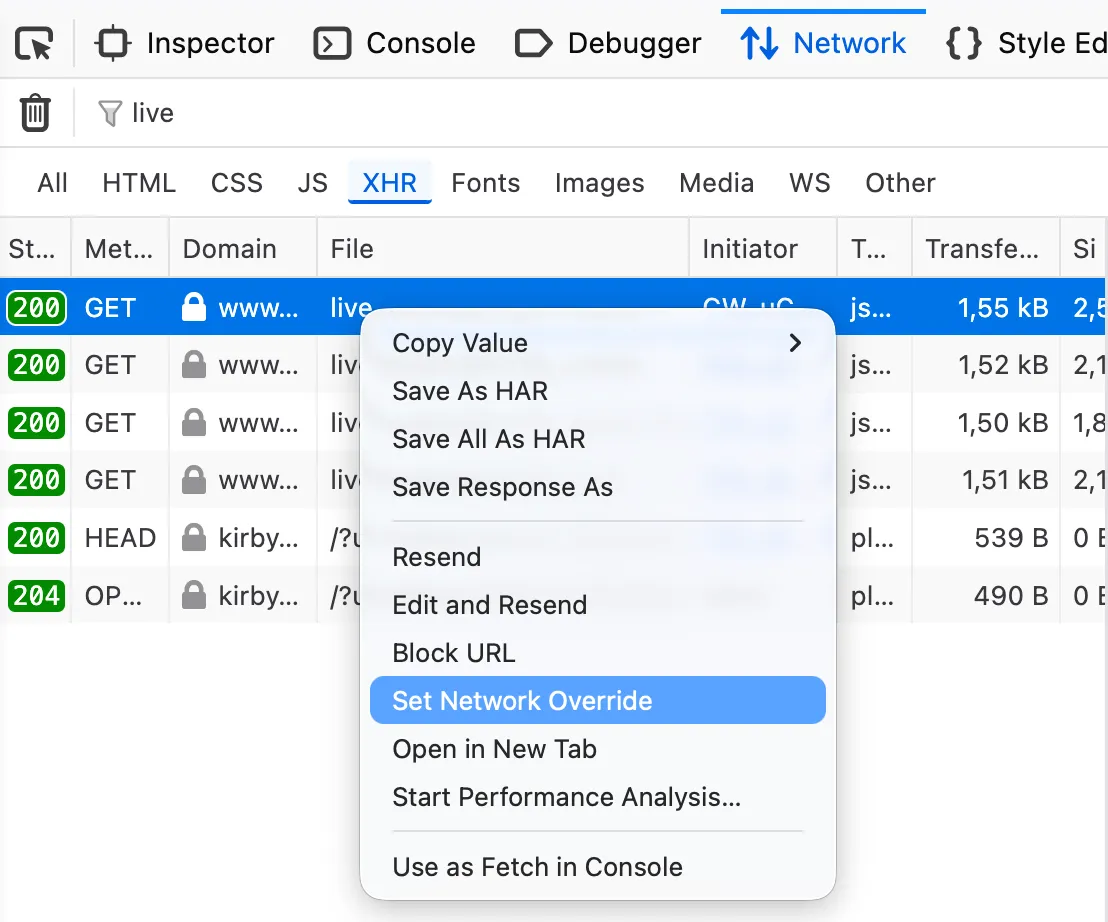
The override is then active and changes to this file will be effective on subsequent calls. The only way to know an override is active is the Overrides column in the network tab which shows the purple dot for overridden requests.

Unfortunately, the override is only active for the current debugging session. If the devtools are closed, the link between the override file and the network response is lost. Trying to create a new override based on an existing file will override the file with the content of the real network response, so old override files are useless in Firefox. Also, it is not possible to edit headers which is a shame.
This override system is clearly made of one-off usage in one session and not for regular use, but not being able to edit the override file directly in the browser makes it very tedious to use even in this simple context. The feature being very recent (less than one year old), we can hope that it quickly gets better and on the level of other browsers.
Bonus: Individual Network Requests Throttling in Chrome
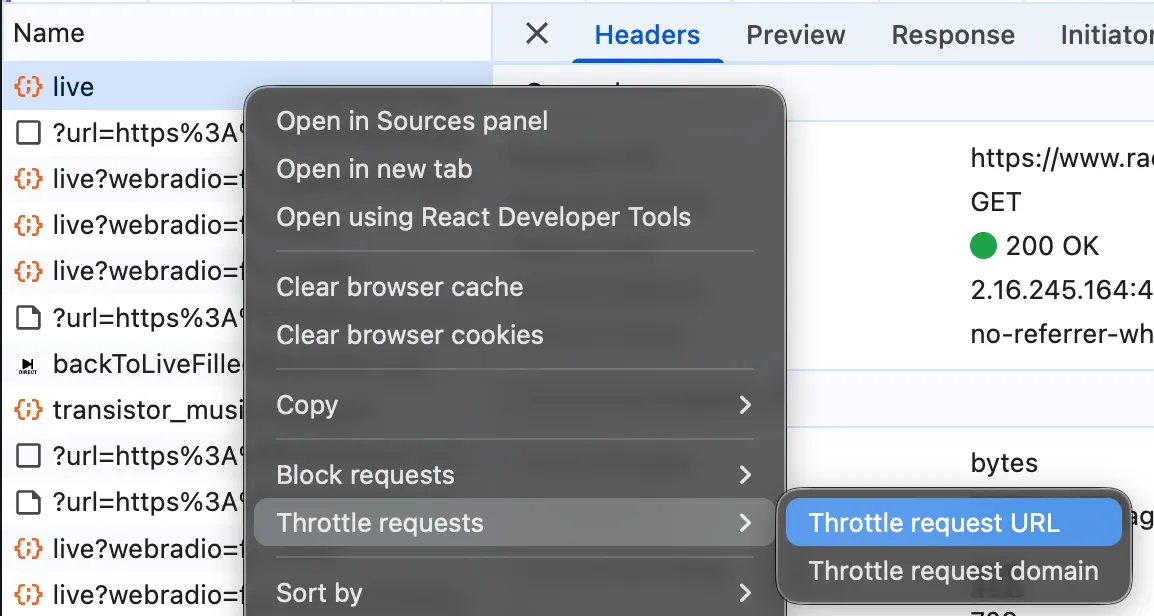
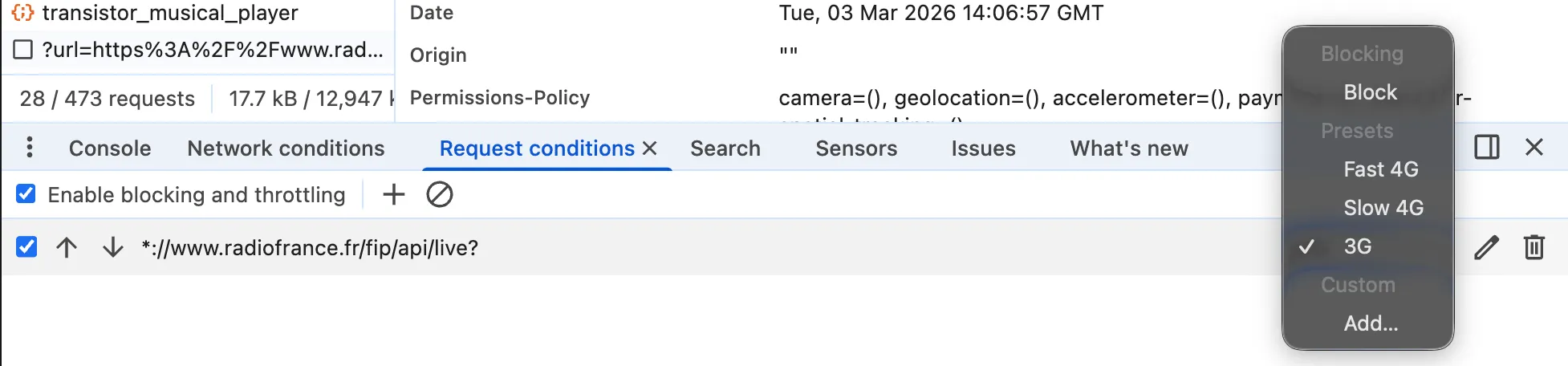
Since the release of Chrome 145 in February 2026, it is possible to artificially increase the response time for each request, on an individual basis. All browsers have been offering global network throttling for a long time to simulate a slow connexion, which allows to reproduce real cases of low bandwidth. It is also possible to individually block some domains to simulate a remote service being down. But until there it was impossible to simulate latency on a single request, as if it were not the user’s connexion that was at fault but the remote service not responding in time.
In Chrome, the interface to block some domains has been improved to allow throttling the response on any request. You just have to select the option on right-clicking the request and choose the appropriate speed. This very convenient feature is yet another use case where you do not need a standalone proxy anymore.
Conclusion
The three major browsers now offer native network override systems, but with varying levels of maturity. Safari stays the most comprehensive with its ability to edit http status codes and regular expressions for request patterns, but the puzzling flows to achieve this can sometimes be confusing. Chrome offers the best compromise: intuitive UI, files that can be edited wherever you like and all necessary features (except http status). Firefox disappoints with a system that lacks persistence and no way to edit overrides in the browser. Here is a recap of the features offered by the three browsers:
| Safari | Chrome | Firefox | |
|---|---|---|---|
| Where to edit the file | Sources tab OR external editor | Sources tab AND external editor | External editor only |
| Override persistence | Yes | Yes | No |
| Header edition | Yes | Yes (but no deletion) | No |
| http status edition | Yes | No | No |
| Advanced request patterns | Yes (regex) | Only for headers in the same domain | No |
For most front-end developers, these native tools are more than enough for day-to-day work and to get rid of a standalone proxy or dedicated browser extensions. However, proxies stay important for some use cases like dynamically edition of responses with scripts (to generate timestamps or tokens on the fly). What’s more, the systems created by the different browsers are not cross-compatible: it is not yet possible to easily define an override file in one place and have it work in all browsers. If you have to work with overrides in several browsers, the easiest way is still to set up the override only one time in a dedicated proxy.